
Managing multiple PDF files can become difficult when you need to share, upload, or organize them as a single document. Instead of sending several separate files, you can merge PDF files into one organized document in just a few clicks.
With a browser-based Merge PDF Online tool, you can combine multiple documents without installing additional software. ToolPickrr provides a simple and convenient way to combine PDF files and create one PDF from multiple files.
What Does It Mean to Merge PDF Files?
Merging PDF files means combining two or more PDF documents into a single PDF file. For example, you may have separate PDFs for a cover page, report, invoices, certificates, or supporting documents. Instead of keeping them separately, you can combine PDF files into one document.
This is useful when you need to submit several documents together or want to keep related files organized.
How to Merge PDF Files Into One Document
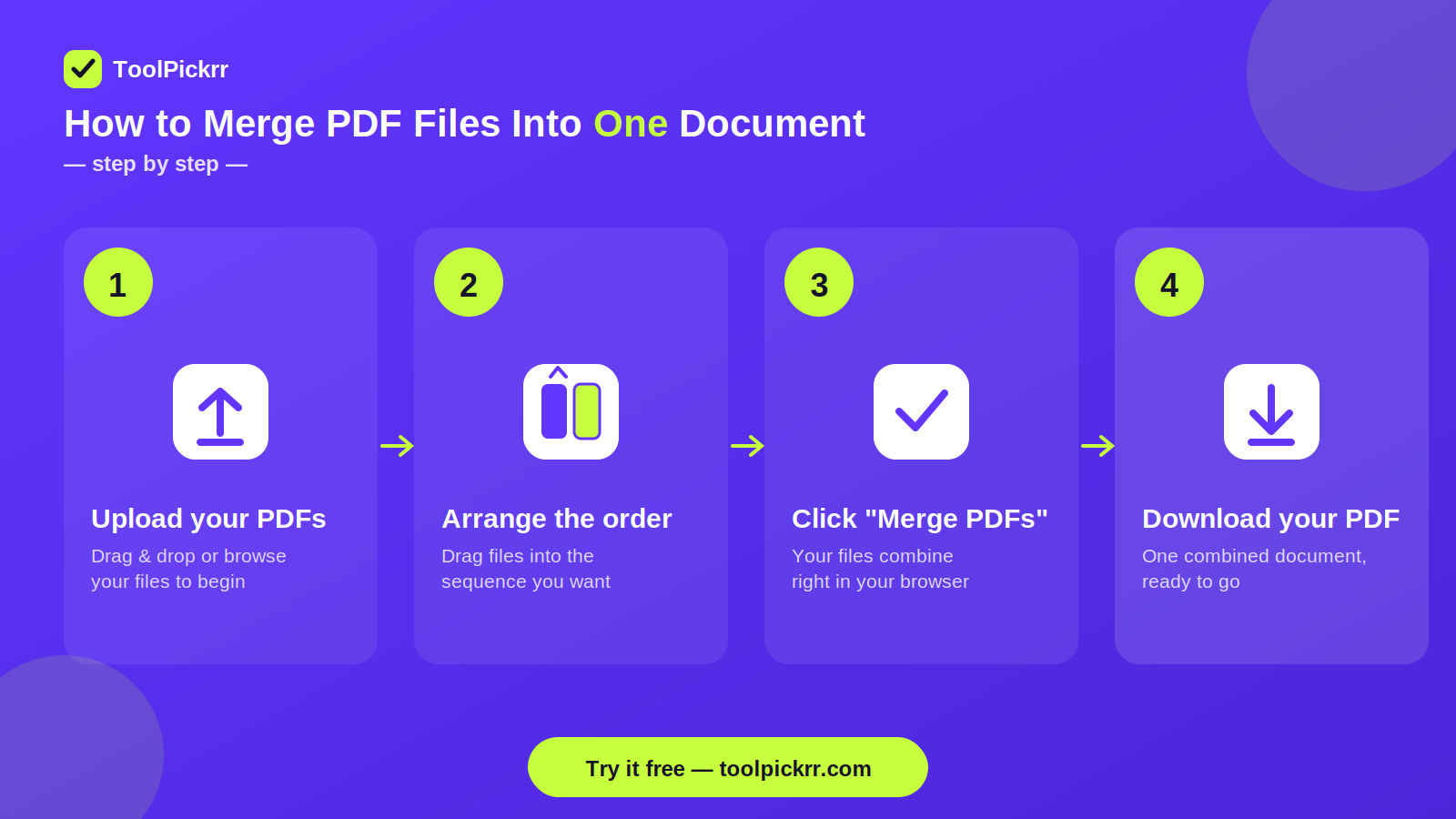
You can merge PDFs online without installing desktop software. Follow these simple steps:
1. Open a PDF Merger
Open ToolPickrr's Merge PDF Online tool in your browser. The tool is designed to help you combine multiple PDF documents into a single file.
2. Upload Your PDF Files
Select the PDF documents you want to combine. You can upload multiple files that you want to include in the final document.
3. Arrange the PDF Files
After uploading your documents, check their order before merging. Arrange the files according to how you want them to appear in the final PDF.
This is particularly useful when combining reports, assignments, applications, or documents that need to follow a specific sequence.
4. Merge the PDFs
Once your files are arranged correctly, click the merge option. The free PDF merger combines your selected documents into one PDF file.
5. Download the Combined PDF
After the merging process is complete, download your newly created PDF. You now have one document containing the pages from all the selected files.
Why Use a Free PDF Merger?
A browser-based free PDF merger can save time when you only need to combine documents occasionally. You don't have to install dedicated PDF software just to join a few files.
Using an online tool can be helpful for:
- Combining reports and assignments
- Joining invoices into one file
- Organizing business documents
- Combining application documents
- Preparing files for online submission
- Keeping related PDFs together
How to Combine PDF Files Online
If you frequently work with multiple documents, learning how to combine PDF files can make document management easier.
The basic process is simple: upload the required PDFs, arrange them in the correct order, merge them, and download the resulting document.
With ToolPickrr, you can merge PDF online free directly from your browser without needing to install separate software.
Can You Join PDF Files Without Installing Software?
Yes. If you only need to combine documents occasionally, you can use an online PDF merging tool instead of installing desktop software.
A browser-based tool lets you join PDF files from your computer without requiring a separate PDF application. This can be especially convenient when working from different devices.
When Should You Merge PDF Files?
There are many situations where merging PDFs can make document management easier.
For example, students can combine assignments and supporting documents into one file. Businesses can merge PDF files containing invoices, reports, or proposals. Job applicants can combine resumes, certificates, and supporting documents when a single PDF is required.
Merging files also helps reduce the number of attachments you need to manage or share.
Merge PDFs Online in a Few Steps
If you need a quick way to merge PDFs online, the process doesn't have to be complicated. A dedicated PDF merger allows you to combine your documents without manually copying pages between files.
For a simple workflow:
- Upload PDFs
- Arrange Files
- Merge
- Download
That's all you need to create one combined PDF from multiple documents.
Frequently Asked Questions
Can I merge multiple PDF files into one?
Yes. You can select multiple PDF documents and combine them into one PDF using an online PDF merger.
Can I merge PDF files for free?
Yes. A merge PDF online free tool can be used to combine PDF documents without purchasing desktop PDF software.
How do I combine PDF files into one document?
Upload the PDF files to a PDF merger, arrange them in the required order, select the merge option, and download the resulting PDF.
Can I join PDF files online?
Yes. You can join PDF files using a browser-based PDF merging tool without installing additional software.
Is a free PDF merger useful for business documents?
Yes. Businesses can use a free PDF merger to combine invoices, reports, proposals, forms, and other related documents into one organized PDF.
Merge PDF Files Online With ToolPickrr
If you need to combine several PDF documents into one file, ToolPickrr's Merge PDF Online tool provides a simple way to get the job done directly from your browser.
Whether you need to combine reports, assignments, invoices, applications, or other documents, you can merge PDF online free and create one organized PDF instead of managing multiple separate files.
Ready to combine your PDFs? Try the ToolPickrr Merge PDF tool and merge your files into one document.
Merge PDF Online →