PDF Tools

Split PDF Online for free

Need only a few pages from a large PDF? Instead of keeping the entire document, you can use our Split PDF tool to separate the pages you need.

Split PDF online free and split PDF pages easily with ToolPickrr

Upload

Drag & drop your PDF here

or select a file from your device

One PDF at a time · Max 80MB

Your files stay private — all processing happens directly in your browser.

  • Instant results
  • Private & secure
  • Works on mobile
  • ZIP download

Workspace

Pages

0 pages

Choose Split Method

0 pages selected — click pages above to select

Selected pages will be combined into one new PDF: selected-pages.pdf

Example: 1-5 on line one, 6-10 on line two, and so on.
pages per file — e.g. 2 gives you pages 1-2, 3-4, 5-6...
Example: 3,7,12 on a 20-page PDF gives 1-3, 4-7, 8-12, 13-20.

Every page will be saved as its own individual PDF file — page-01.pdf, page-02.pdf, and so on.

Your PDFs Are Ready!

Generated 0 file(s) from your PDF.

About this tool

Split PDF Online

Need only a few pages from a large PDF? Instead of keeping the entire document, you can use our Split PDF tool to separate the pages you need.

Upload your PDF, select the pages you want to extract or split, and create a new PDF file. It is a simple way to organize large documents without manually copying pages.

Use this free split PDF online tool to extract pages from PDF or divide a file into smaller parts. For a longer guide, read Split PDF Online: Easily Separate PDF Pages and Create Multiple Files. After splitting, you can merge PDF files again, compress PDF for easier sharing, or export pages with PDF to JPG.
Page control

Split PDF Pages Easily

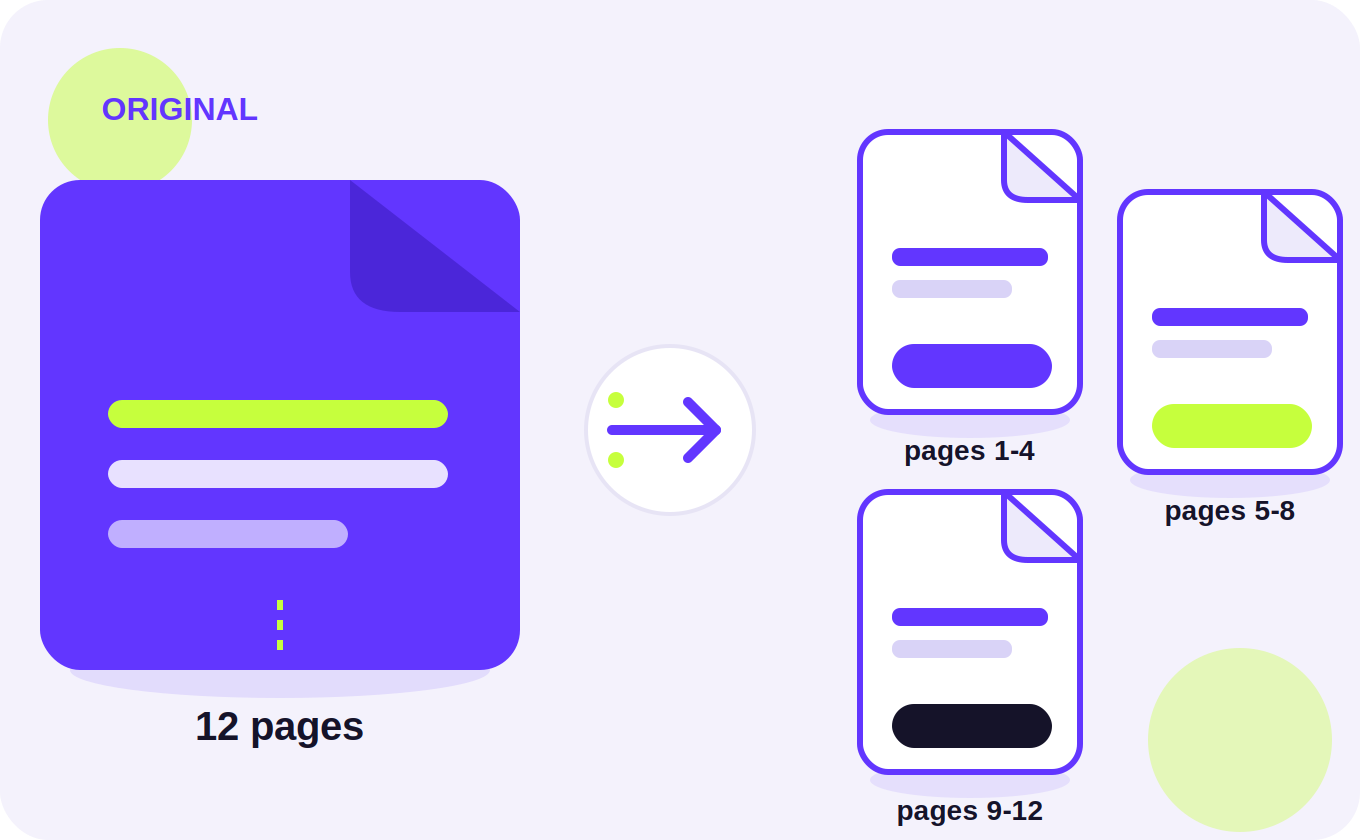
Sometimes you only need certain pages from a document. For example, you may need pages 5–10 from a 50-page report or want to remove unnecessary pages before sharing the file.

With our tool, you can split PDF pages and create smaller PDF files according to your needs.

Multiple outputs

Split PDF Into Multiple Files

If you have a large document that needs to be divided into different sections, you can split PDF into multiple files.

This can be useful for reports, study material, contracts, invoices, applications, and business documents. When you’re done, put sections back together with Merge PDF or shrink the result with Compress PDF.

Free & simple

Free PDF Splitter Online

You don't need to install special software to separate pages from a PDF. Use the tool directly in your browser, upload your file, select the pages, and download the result.

Students, office users, freelancers, and businesses can use it for everyday PDF work.

With all tool in one place, you can also merge PDF files, compress PDF, convert Word to PDF, or turn pages into images with PDF to JPG.

Our free online tool in one place makes common PDF tasks easier to handle from your browser.

  • 1. Upload

    Drop in your PDF or choose it from your device.

  • 2. Arrange

    Reorder, rotate, or delete pages if needed.

  • 3. Split

    Choose a method and start the split.

  • 4. Download

    Save individual files or grab everything as a ZIP.

Quick answers

Frequently Asked Questions

How do I split a PDF online?

Upload your PDF, select the pages or page range you want, and create the new PDF.

Can I extract specific pages from a PDF?

Yes. You can select the pages you need and create a separate PDF.

Is the PDF splitter free?

Yes, the tool is available to use for free.

Can I split a PDF into multiple files?

Yes, depending on the available options, you can divide a large PDF into separate files.

Do I need to install software?

No. You can split PDF files directly from your browser.

Need another tool?

Try Merge PDF, Compress PDF, Word to PDF, or PDF to JPG — or browse all free tools.

All Tools

Splitting your PDF

Preparing...